A weekly planner for uni students

Your week, sorted.Even when plans change.

UniLane plans a realistic week around lectures, training, shifts and free time, then suggests the smallest fix when things move.
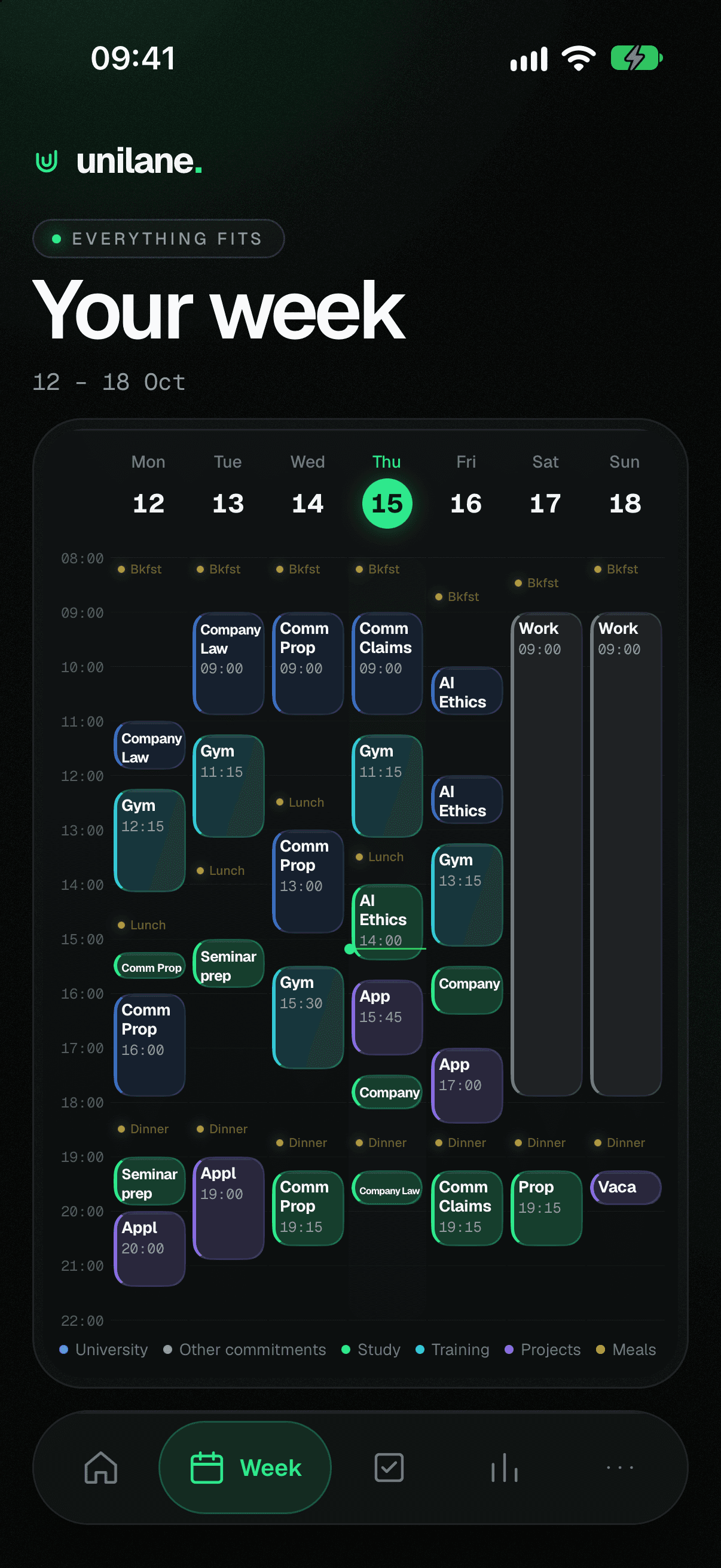
UniLane Week screen: a week from Monday to Sunday with lectures, gym, study blocks, a work shift and meals, labelled “Everything fits”.
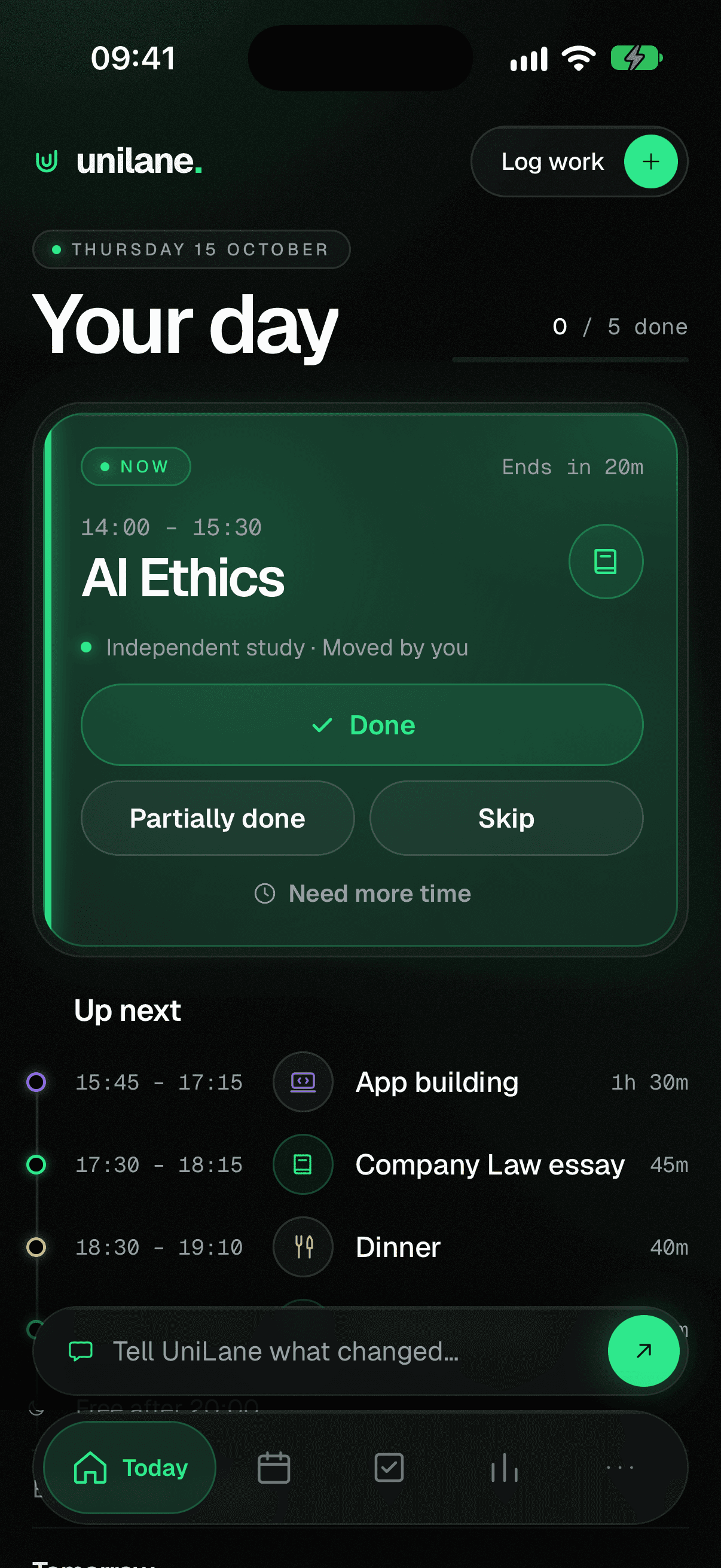
UniLane Today screen: a live study block with Done, Partially done and Skip buttons, and what’s up next.

From a messy timetable to a week that fits.

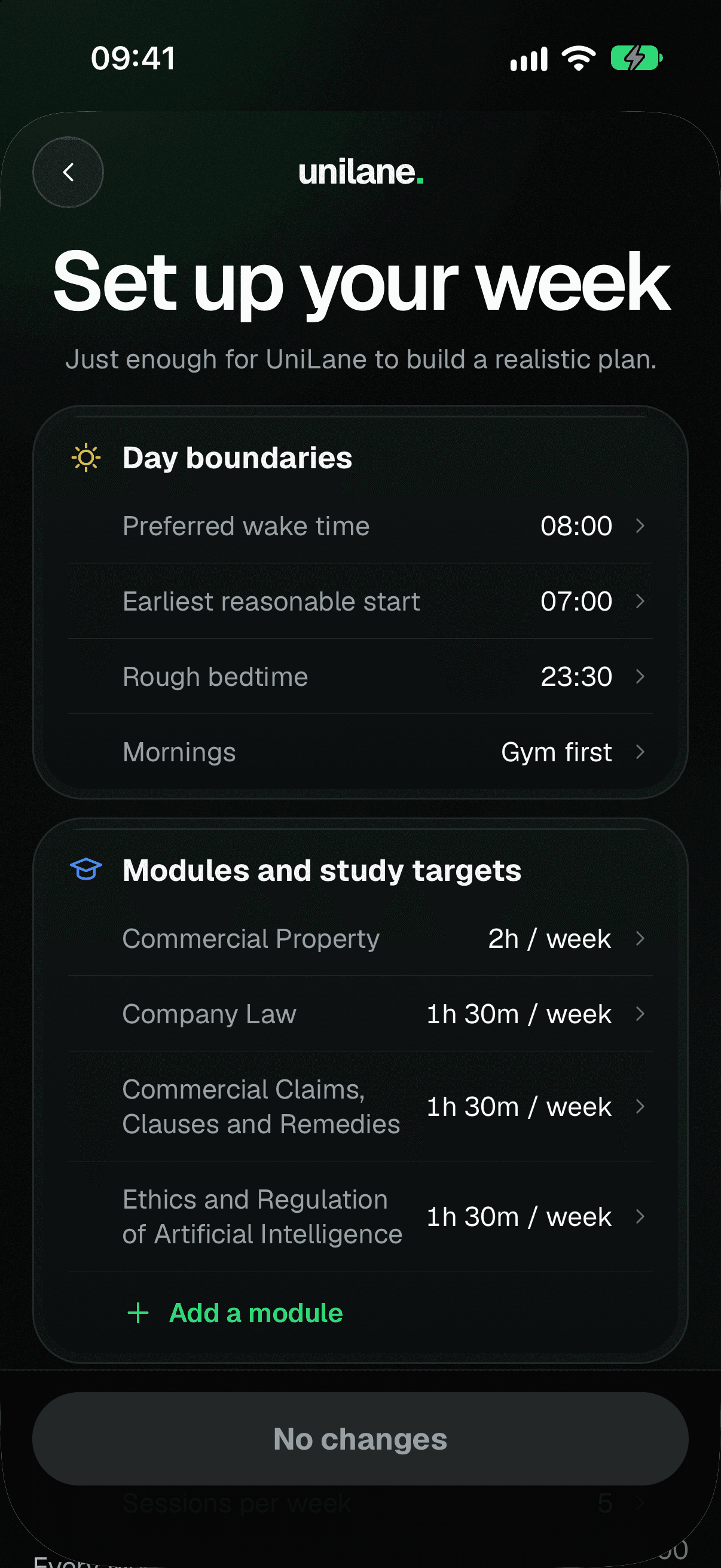
  1. The “Set up your week” screen: wake time, bedtime, mornings, and weekly study targets for each module.

    Set your week up

    Bring in your timetable from your phone’s calendar or a calendar file. Add shifts, training and how much free time you want to keep. Rough targets are fine.
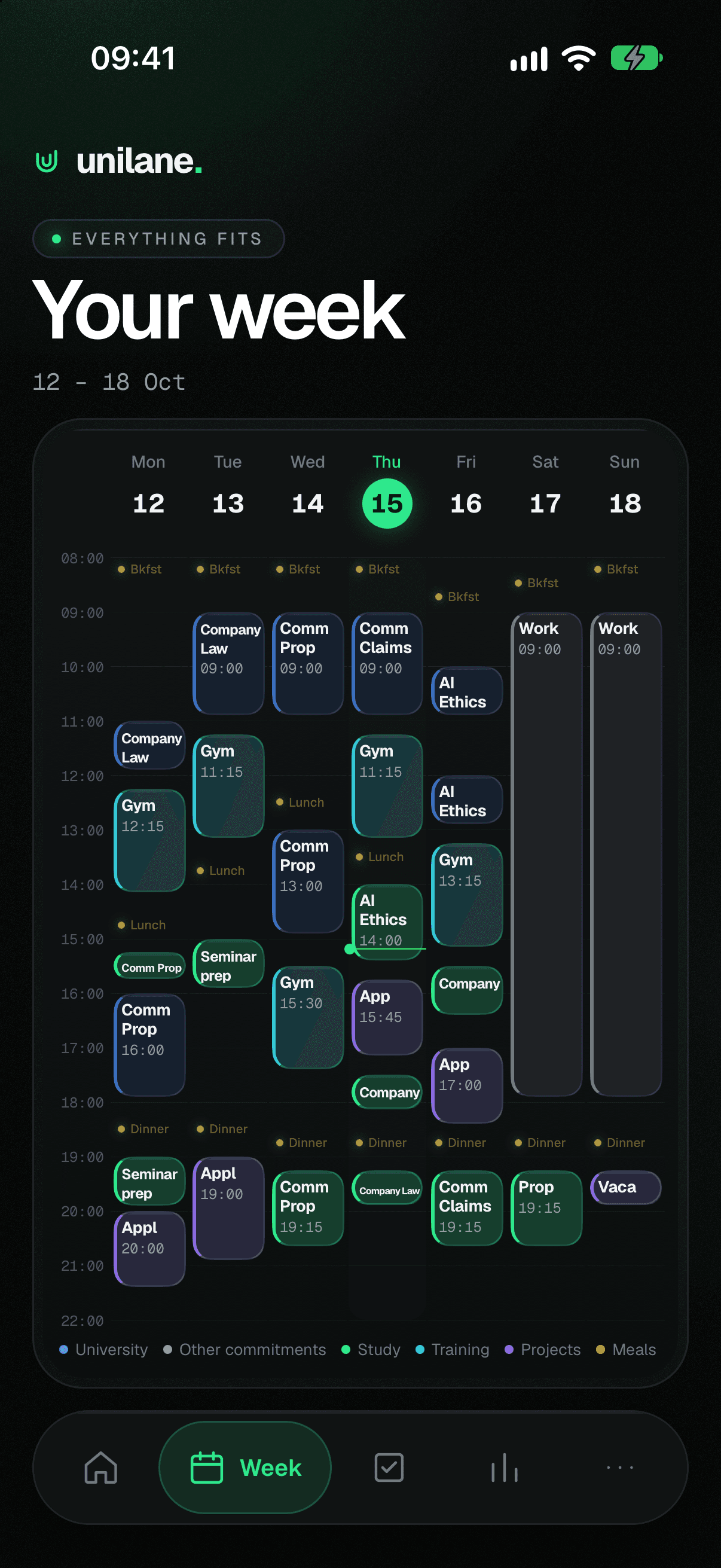
  2. A planned week: lectures in blue, study in green, gym in teal, a Saturday work shift and meals, with a line marking the current time on Thursday.

    Get a realistic plan

    UniLane fits study, gym, projects and deadline work around everything fixed, with breaks, meals and free time left in.
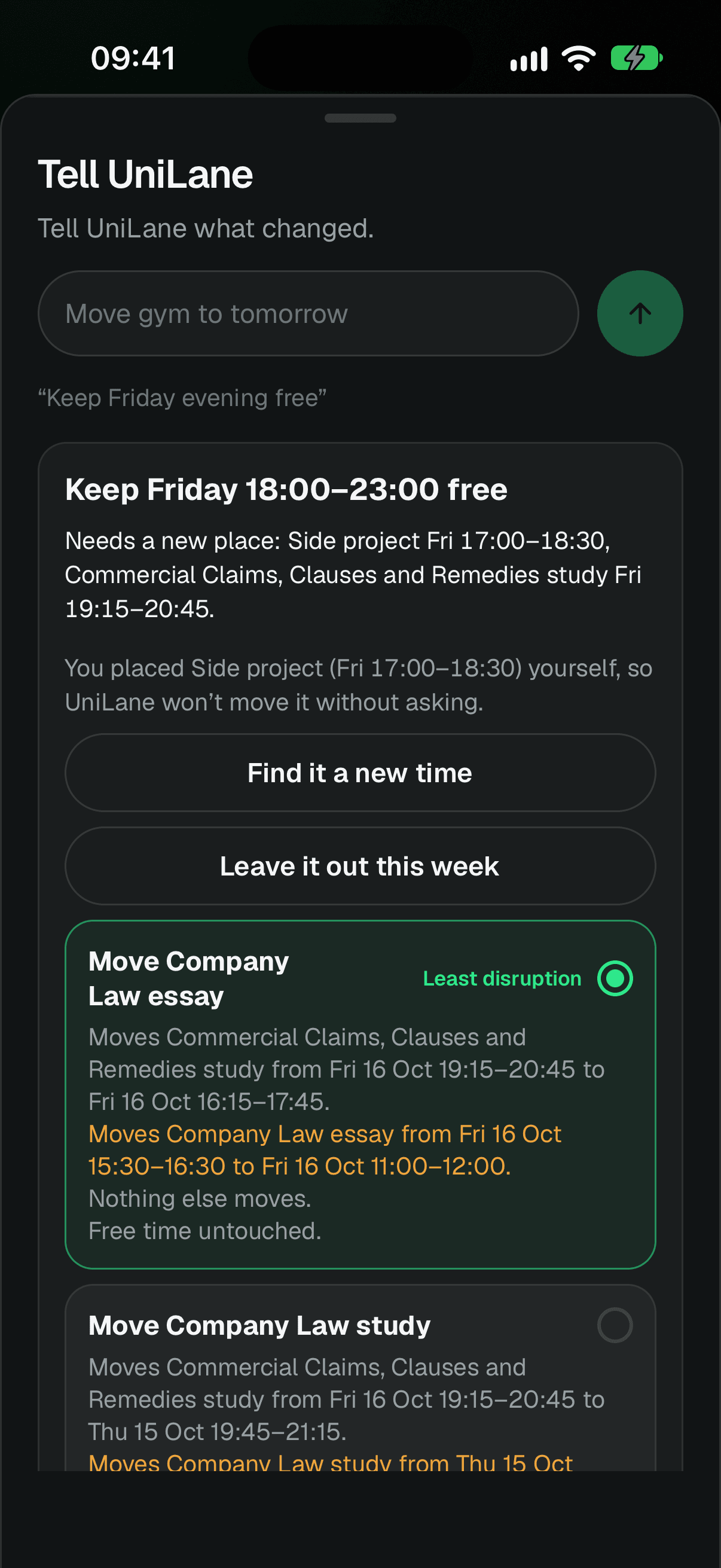
  3. Tell UniLane after “Keep Friday evening free”: two blocks need a new place, and the “Least disruption” option says nothing else moves and free time is untouched.

    Adjust when life happens

    Tell UniLane what changed, like “Keep Friday evening free”. It shows the least disruptive fix and exactly what moves. Nothing changes until you confirm.

Built for how a student week actually goes.

Plans change. Your whole week doesn’t have to.

When something comes up, UniLane repairs the plan by moving as little as possible. Anything you placed yourself stays put unless you say so.
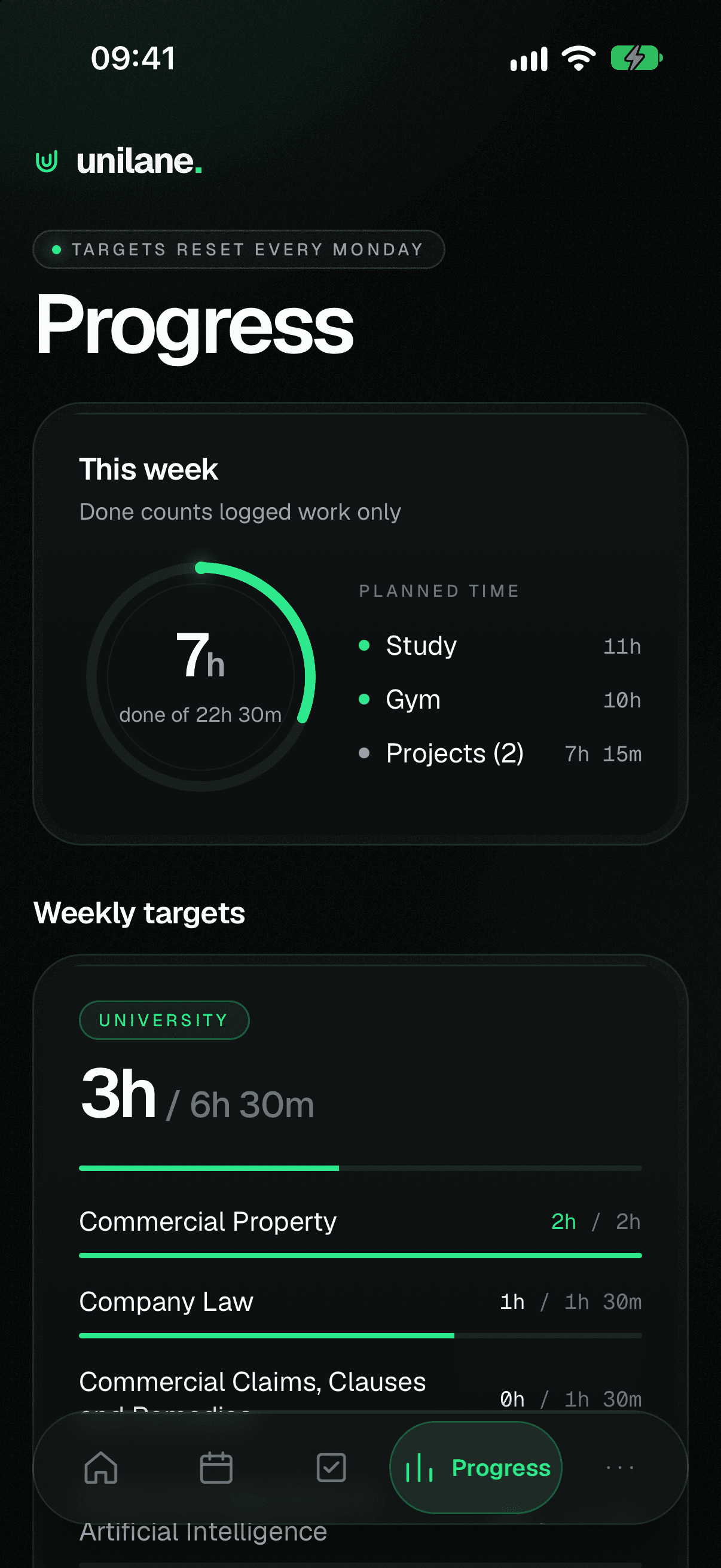
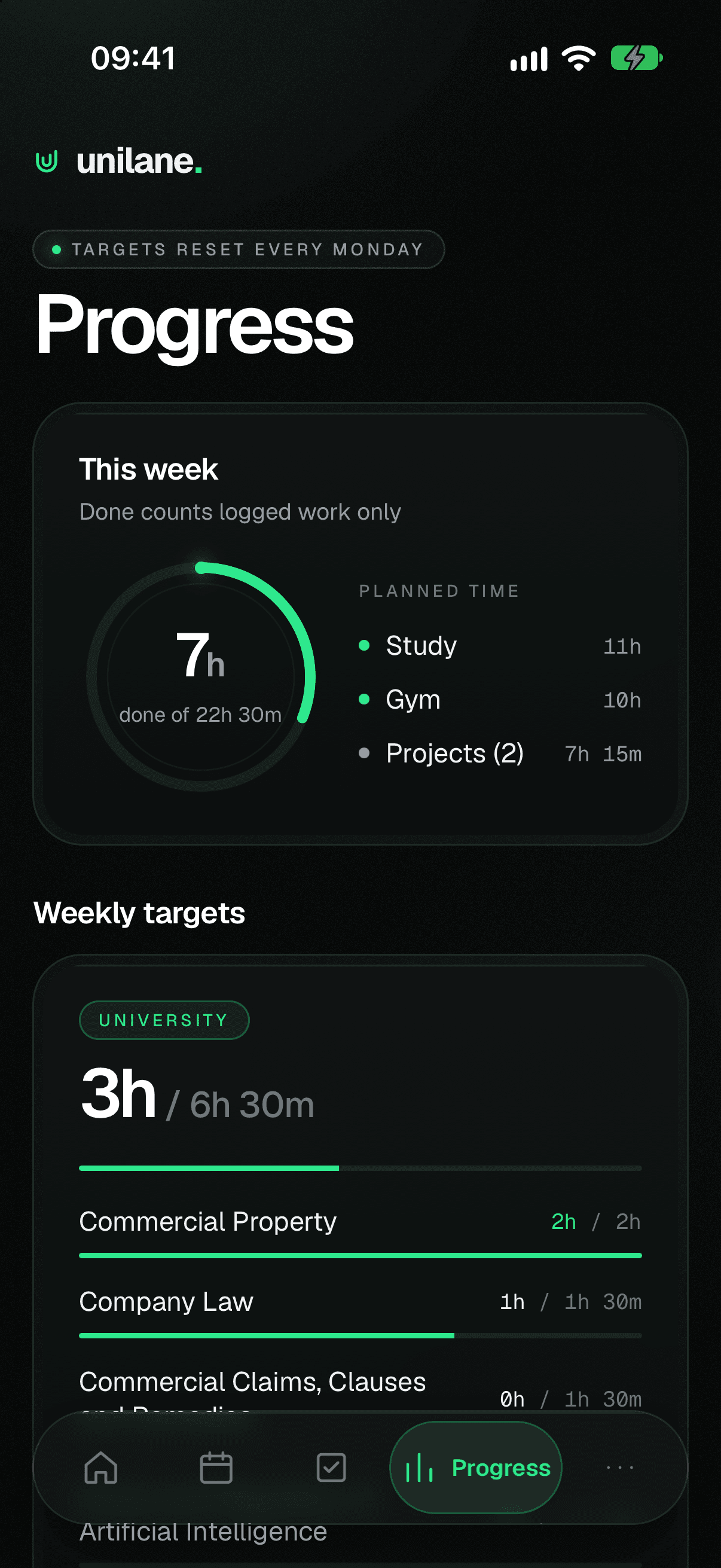
UniLane Progress screen: 7 hours done of 22 hours 30 planned this week, with planned study, gym and project time, and weekly targets per module.

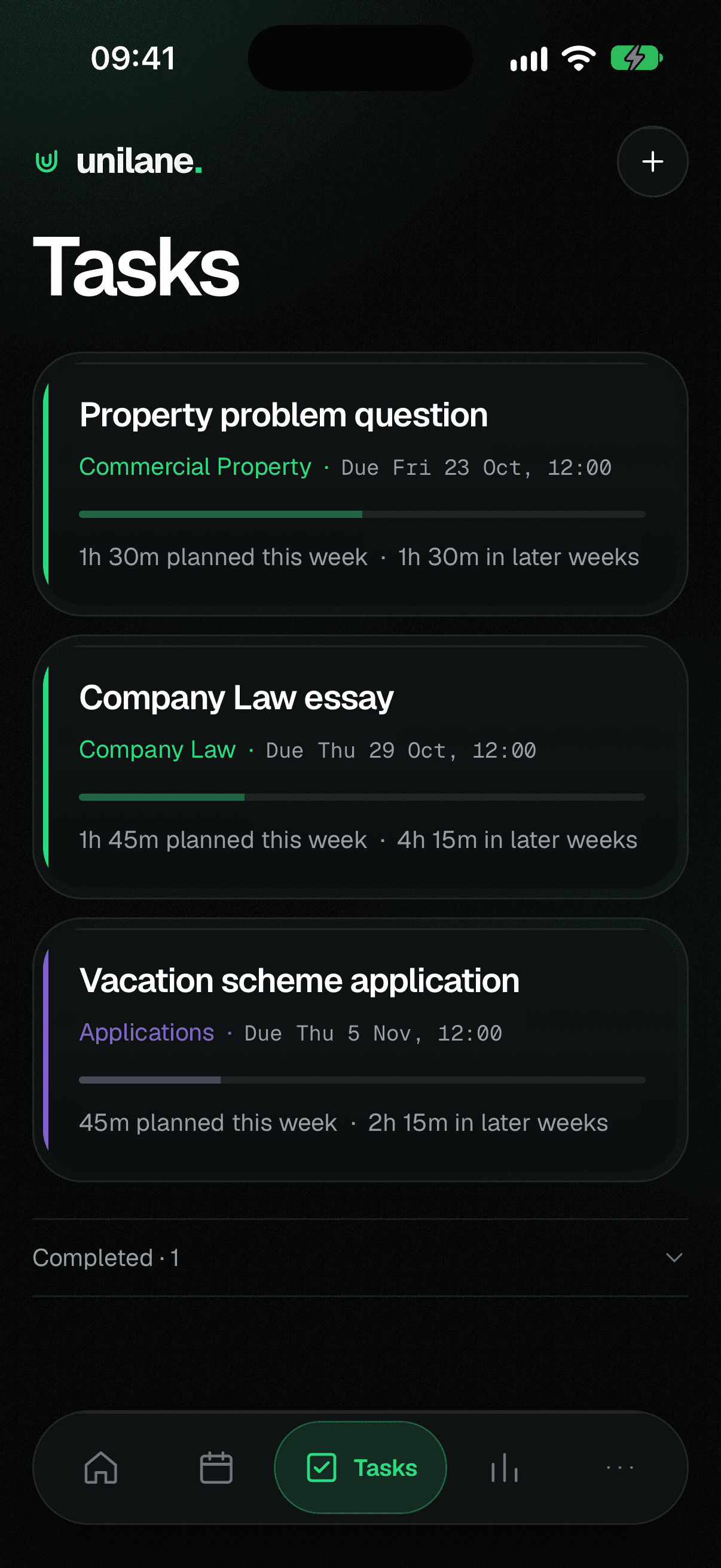
See what you’ve actually done

Mark blocks done, partly done or skipped, or log work as you go. Progress counts what you logged, not what was planned, and Sunday Review helps you shape next week.

Everything in one place

Lectures, seminars, study, gym, shifts, side projects, meals and free time, planned together on one week.

Your time stays yours

Tell it when your day starts, when you wind down and how much time to keep for yourself. UniLane recommends. You decide.

UniLane recommends.You decide.

  • Nothing in your plan changes until you confirm it.
  • Blocks you placed yourself are never moved without asking.
  • Connected calendars are read-only. UniLane never edits or deletes your events.

Early access

Your week, a little more under control.

UniLane is getting ready for its first testers. Join the early-access list and we’ll email you when testing opens. Joining is free.

Your phone (optional)

We’ll only use your email to tell you about UniLane early access and launch. No spam, and you can ask to be removed at any time. Privacy notice

Questions, answered.

What is UniLane?

A weekly planner for your phone. You tell it your timetable, commitments and priorities, and it builds a realistic week with time for studying, training, projects and rest. When something changes, it helps you adjust the plan without starting over.

Who is it for?

University students juggling lectures with things like training, a part-time job, societies or side projects, who want a week that works without planning every minute.

Is UniLane available yet?

Not yet. UniLane is in development and being tested ahead of its first release. Join the early-access list and we’ll email you when testing opens.

Will it work on iPhone and Android?

UniLane is being built for both. Testing may open on one platform first, so tell us which phone you use when you sign up.

Can I use it with my university timetable?

Yes, if your timetable is in your phone’s calendar or can be exported as a calendar file (.ics), which many universities offer. UniLane reads it and plans around your classes.

Do I need to connect my calendar?

No. You can import a calendar file instead, and add work shifts and other regular commitments yourself. If you do connect a calendar, UniLane only reads it. It never edits or deletes your events.

Is it an AI chatbot?

No. UniLane plans with clear rules based on your settings, and shows you what it would change before anything happens. “Tell UniLane” understands everyday requests like “Move gym to tomorrow” or “Keep Friday evening free”.